On This Page
Introduction to Acceptance Devices | PAX Acceptance Devices App
The PAX Acceptance Devices App enables partners to easily integrate their point-of-sale
(POS) systems with supported PAX terminals in a semi-integrated manner using Local and
Cloud modes. Leveraging the Acceptance Devices Android app and using API requests, your
POS system can accept payments by communicating with the PAX terminal over a local Wi-Fi
network or the cloud.
The solution can also be operated in Standalone mode. This mode does not require
integration with a POS system and enables you to start transactions directly from the
PAX terminal.
For more information about the modes available in the Acceptance Devices app, see:
For information about the current version of the Acceptance Devices Android app, see the
Release Notes for PAX Acceptance Devices App.
Supported Payment Terminals and Capabilities
The PAX All-in-One Android Solution supports a variety of PAX payment terminals, card
types, and payment services, as shown in the tables.
IMPORTANT
Processor support differs across terminals, card types, and payment
services.

| 
| 
| 
|
|---|---|---|---|

| |||
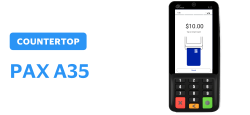
| Android 10 PCI PTS 6.0 4-inch display Privacy shield | Ethernet Wi-Fi | |
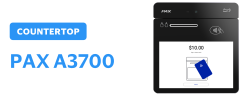
| Android 11 PCI PTS 6.0 7-inch display Portable | Ethernet Wi-Fi | |
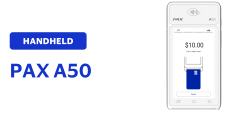
| Android 10 PCI PTS 6.0 4-inch display | Wi-Fi 4G | |
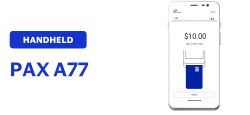
| Android 8 PCI PTS 6.0 5.5-inch display Professional scanner | Wi-Fi 4G | |
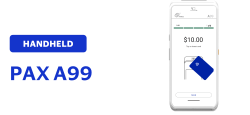
| Android 12 PCI PTS 6.0 5.5-inch display Printer | Wi-Fi 4G | |
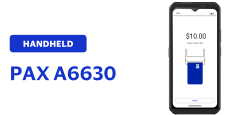
| Android 12 PCI PTS 6.0 6.5-inch display Professional scanner | Wi-Fi 4G | |
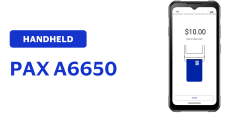
| Android 12 PCI PTS 6.0 6.5-inch display Professional scanner | Wi-Fi 4G | |
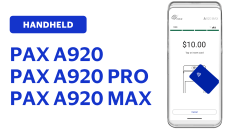
| Android 8 or 10 PCI PTS 6.0 5.5- or 6-inch display Printer | Wi-Fi 4G | |
| Android 10 PCI PTS 6.0 5-inch display Mounting bracket | Ethernet Wi-Fi | |
|
| |||
Card Type | Processor | Payment Service | Processor | ||
|---|---|---|---|---|---|
FDC Nashville Global | Visa Platform Connect | FDC Nashville Global | Visa Platform Connect | ||
American Express | 
|
| Account verification |
|
|
China Union Pay |
| 
| Capture |
|
|
Diners |
|
| Cashback |
|
|
Discover |
|
| Custom card read |
|
|
EBT |
|
| Incremental authorization |
|
|
JCB |
|
| Mail order or telephone order (MOTO) |
|
|
Mastercard |
|
| Offline sale (Deferred authorization/Store and
Forward) |
|
|
Meeza |
|
| On-reader tipping |
|
|
U.S. Common Debit |
|
| On-receipt tipping |
|
|
Visa |
|
| Pre-authorization |
|
|
Refund |
|
| |||
Sale |
|
| |||
Stand-alone credit |
|
| |||
Token refund |
|
| |||
Transaction Workflow for the PAX Acceptance Devices App
This is the transaction workflow for the PAX Acceptance Devices App.
Figure:
PAX Acceptance Devices App Transaction Workflow
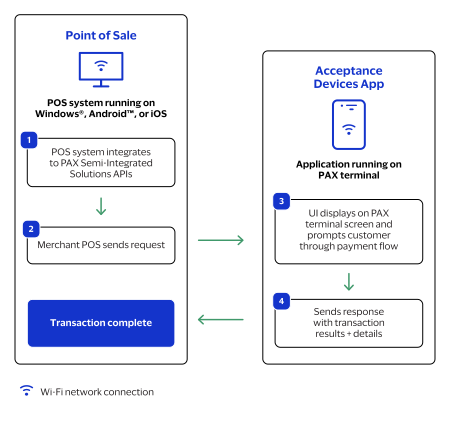
The PAX Acceptance Devices App workflow typically includes this sequence of events:
- The point-of-sale (POS) system, running on Windows, Android, or iOS, integrates to the PAX Acceptance Devices App APIs.
- The merchant's POS system sends an API request, using the local Wi-Fi network or the cloud, to the Acceptance Devices app that is running on the PAX terminal.
- The Acceptance Devices app user interface shows on the PAX terminal screen and displays prompts to guide the customer through the payment flow.
- The Acceptance Devices app sends an API response to the POS system with the transaction result and details, which completes the transaction.