Skip to login Skip to content
Developer Cybersource Logo

Our API

Learn about Cybersource REST APIs, SDKs and sample codes.

API reference

View sample code and API field descriptions. Send requests to the sandbox and see the responses.

Developer guides

View feature-level guides with prerequisite and use-case information for implementing our API

Sample code on [GitHub]

Sample codes published on GitHub for each REST API in 6 popular languages

SDKs on [GitHub]

Client SDKs source code published on GitHub in 6 popular languages

Getting started

Use these developer resources to make your first API call.


Hello world

Step by step guide to make first Cybersource REST API call.


Common setup questions

Commonly-encountered problems and solutions. 

Testing

Guide with sandbox testing instructions and processor specific testing trigger data.


Support

Reach out to our award-winning customer support team, or contact sales directly.

FAQ

Frequently asked questions relating to Cybersource REST APIs and developer center.

Customer service

Payzli is here to support your business with all of your payment processing needs, 24 hours per day, 7 days per week.

Call: 813–565–9999

GitHub

Response (error) codes

Understand all different error codes that Cybersource REST API responds with.

StackOverflow

Sign up

Menu
API Overview
  • Acceptance Devices | PAX All-in-One Android Solution Integration Guide
    • Recent Revisions to This Document
    • VISA Platform Connect: Specifications and Conditions for Resellers/Partners
  • Introduction to Acceptance Devices | PAX All-in-One Android Solution
  • Payment Terminals Supported by the PAX All-in-One Android Solution
  • Transaction Workflow for the PAX All-in-One Android Solution
  • Getting Started with the PAX All-in-One Android Solution
    • Configuring the PAX All-in-One Android SDK
      • Configure the Project settings.gradle File
      • Configure the Project build.gradle File
      • Configure the Module build.gradle File
      • Update the AndroidManifest.xml File
      • Configure ProGuard Rules to Enable Obfuscation
    • Generating a Secret Key for an Existing Merchant ID
      • Generate a Secret Key for an Existing Merchant ID in the Business Center
      • Generate a Secret Key for an Existing Merchant ID Using a REST API Request
        • Required Fields for Generating a Secret Key for an Existing Merchant ID Using a REST API Request
        • REST Example: Generating a Secret Key for an Existing Merchant ID Using a REST API Request
    • Creating an mposUi Instance
      • Create an mposUI Instance
      • Configure an mposUI Instance
        • Create a UiConfiguration Instance
    • Customizing the Default User Interface
      • Customize Style Elements Using a Theme
      • Customize Style Elements Using a UiConfiguration Instance
      • Enable Dark Mode in the Default User Interface
    • Installing Your Application on Debug PAX Devices
      • Install an Android Application on Debug PAX Devices
    • Making Your Application Available on Production PAX Devices
      • Submit Your Android Application in the Business Center
  • PAX All-in-One Payment Services
    • Sale
    • Refund
    • Stand-Alone Credit
    • Check Transaction Status
    • Sale with On-Reader Tipping
    • Sale with On-Receipt Tipping
      • Sale with On-Receipt Tipping
      • Tip Adjust
        • Tip Adjust
    • Token Refund
    • Pre-Authorization
    • Incremental Authorization
    • Capture
    • Mail Order or Telephone Order
    • Account Verification
    • Offline Transactions
      • Perform an Offline Sale
      • Refund an Offline Sale Pending Submission
      • Request a Check Transaction Status for an Offline Sale Pending Submission
      • Retrieve a List of Offline Transactions Pending Submission
      • Submit an Offline Transactions Batch for Authorization
    • Cashback
    • Sale with Installment Details
    • Sale with Payment Facilitator Details
    • Sale with Tax Details
    • Electronic Benefits Transfer
      • EBT SNAP and EBT Cash Transactions
    • Custom Card Read
      • Custom Card Read
    • Print a Customer or Merchant Receipt
    • Email a Customer Receipt
  • Release Notes for PAX All-in-One Android Solution
    • SDK Version 2.108.0 Release Notes
      • New Features
      • Improvements
      • Fixed Issues
      • General Information
    • SDK Version 2.107.0 Release Notes
      • New Features
      • Improvements
      • Fixed Issues
      • General Information
    • SDK Version 2.106.0 Release Notes
      • New Features
    • SDK Version 2.105.0 Release Notes
      • Improvements
      • Fixed Issues
    • Archive of Release Notes
      • SDK Version 2.104.0 Release Notes
        • Improvements
      • SDK Version 2.103.1 Release Notes
        • Fixed Issues
      • SDK Version 2.103.0 Release Notes
        • New Features
        • Improvements
        • Fixed Issues
      • SDK Version 2.102.0 Release Notes
        • New Features
        • Improvements
      • SDK Version 2.101.1 Release Notes
        • New Features
        • Improvements
        • Fixed Issues
      • SDK Version 2.100.0 Release Notes
        • Improvements
        • Fixed Issues
      • SDK Version 2.99.0 Release Notes
        • New Features
        • Improvements
      • SDK Version 2.98.0 Release Notes
        • Updated Requirements
        • New Features
        • Improvements
        • Fixed Issues
      • SDK Version 2.97.0 Release Notes
        • Improvements
      • SDK Version 2.96.0 Release Notes
        • Fixed Issues
      • SDK Version 2.95.0 Release Notes
        • Improvements
        • Fixed Issues
      • SDK Version 2.94.0 Release Notes
        • Fixed Issues
        • New Features
      • SDK Version 2.93.0 Release Notes
        • Improvements
        • Updated Requirements
        • Fixed Issues
      • SDK Version 2.92.0 Release Notes
        • Improvements
      • SDK Version 2.91.0 Release Notes
        • New Features
        • Improvements
        • Fixed Issues
      • SDK Version 2.90.0 Release Notes
        • New Features
        • Improvements
        • Updated Requirements
        • Fixed Issues
        • General Information
      • SDK Version 2.89.0 Release Notes
        • Fixed Issues
        • Improvements
      • SDK Version 2.88.0 Release Notes
        • New Features
        • Improvements
      • SDK Version 2.87.0 Release Notes
        • General Information
        • Updated Requirements
        • Fixed Issues
      • SDK Version 2.86.0 Release Notes
        • Improvements
      • SDK Version 2.85.0 Release Notes
        • Improvements
        • Fixed Issues
      • SDK Version 2.84.0 Release Notes
        • Improvements
      • SDK Version 2.83.0 Release Notes
        • New Features
        • Improvements
        • Fixed Issues
      • SDK Version 2.82.0 Release Notes
        • New Features
        • Fixed Issues
  • Acceptance Devices | PAX All-in-One Android Solution Integration Guide
    • Recent Revisions to This Document
    • VISA Platform Connect: Specifications and Conditions for Resellers/Partners
  • Introduction to Acceptance Devices | PAX All-in-One Android Solution
  • Payment Terminals Supported by the PAX All-in-One Android Solution
  • Transaction Workflow for the PAX All-in-One Android Solution
  • Getting Started with the PAX All-in-One Android Solution
    • Configuring the PAX All-in-One Android SDK
      • Configure the Project settings.gradle File
      • Configure the Project build.gradle File
      • Configure the Module build.gradle File
      • Update the AndroidManifest.xml File
      • Configure ProGuard Rules to Enable Obfuscation
    • Generating a Secret Key for an Existing Merchant ID
      • Generate a Secret Key for an Existing Merchant ID in the Business Center
      • Generate a Secret Key for an Existing Merchant ID Using a REST API Request
        • Required Fields for Generating a Secret Key for an Existing Merchant ID Using a REST API Request
        • REST Example: Generating a Secret Key for an Existing Merchant ID Using a REST API Request
    • Creating an mposUi Instance
      • Create an mposUI Instance
      • Configure an mposUI Instance
        • Create a UiConfiguration Instance
    • Customizing the Default User Interface
      • Customize Style Elements Using a Theme
      • Customize Style Elements Using a UiConfiguration Instance
      • Enable Dark Mode in the Default User Interface
    • Installing Your Application on Debug PAX Devices
      • Install an Android Application on Debug PAX Devices
    • Making Your Application Available on Production PAX Devices
      • Submit Your Android Application in the Business Center
  • PAX All-in-One Payment Services
    • Sale
    • Refund
    • Stand-Alone Credit
    • Check Transaction Status
    • Sale with On-Reader Tipping
    • Sale with On-Receipt Tipping
      • Sale with On-Receipt Tipping
      • Tip Adjust
        • Tip Adjust
    • Token Refund
    • Pre-Authorization
    • Incremental Authorization
    • Capture
    • Mail Order or Telephone Order
    • Account Verification
    • Offline Transactions
      • Perform an Offline Sale
      • Refund an Offline Sale Pending Submission
      • Request a Check Transaction Status for an Offline Sale Pending Submission
      • Retrieve a List of Offline Transactions Pending Submission
      • Submit an Offline Transactions Batch for Authorization
    • Cashback
    • Sale with Installment Details
    • Sale with Payment Facilitator Details
    • Sale with Tax Details
    • Electronic Benefits Transfer
      • EBT SNAP and EBT Cash Transactions
    • Custom Card Read
      • Custom Card Read
    • Print a Customer or Merchant Receipt
    • Email a Customer Receipt
  • Release Notes for PAX All-in-One Android Solution
    • SDK Version 2.108.0 Release Notes
      • New Features
      • Improvements
      • Fixed Issues
      • General Information
    • SDK Version 2.107.0 Release Notes
      • New Features
      • Improvements
      • Fixed Issues
      • General Information
    • SDK Version 2.106.0 Release Notes
      • New Features
    • SDK Version 2.105.0 Release Notes
      • Improvements
      • Fixed Issues
    • Archive of Release Notes
      • SDK Version 2.104.0 Release Notes
        • Improvements
      • SDK Version 2.103.1 Release Notes
        • Fixed Issues
      • SDK Version 2.103.0 Release Notes
        • New Features
        • Improvements
        • Fixed Issues
      • SDK Version 2.102.0 Release Notes
        • New Features
        • Improvements
      • SDK Version 2.101.1 Release Notes
        • New Features
        • Improvements
        • Fixed Issues
      • SDK Version 2.100.0 Release Notes
        • Improvements
        • Fixed Issues
      • SDK Version 2.99.0 Release Notes
        • New Features
        • Improvements
      • SDK Version 2.98.0 Release Notes
        • Updated Requirements
        • New Features
        • Improvements
        • Fixed Issues
      • SDK Version 2.97.0 Release Notes
        • Improvements
      • SDK Version 2.96.0 Release Notes
        • Fixed Issues
      • SDK Version 2.95.0 Release Notes
        • Improvements
        • Fixed Issues
      • SDK Version 2.94.0 Release Notes
        • Fixed Issues
        • New Features
      • SDK Version 2.93.0 Release Notes
        • Improvements
        • Updated Requirements
        • Fixed Issues
      • SDK Version 2.92.0 Release Notes
        • Improvements
      • SDK Version 2.91.0 Release Notes
        • New Features
        • Improvements
        • Fixed Issues
      • SDK Version 2.90.0 Release Notes
        • New Features
        • Improvements
        • Updated Requirements
        • Fixed Issues
        • General Information
      • SDK Version 2.89.0 Release Notes
        • Fixed Issues
        • Improvements
      • SDK Version 2.88.0 Release Notes
        • New Features
        • Improvements
      • SDK Version 2.87.0 Release Notes
        • General Information
        • Updated Requirements
        • Fixed Issues
      • SDK Version 2.86.0 Release Notes
        • Improvements
      • SDK Version 2.85.0 Release Notes
        • Improvements
        • Fixed Issues
      • SDK Version 2.84.0 Release Notes
        • Improvements
      • SDK Version 2.83.0 Release Notes
        • New Features
        • Improvements
        • Fixed Issues
      • SDK Version 2.82.0 Release Notes
        • New Features
        • Fixed Issues
On This Page

Payment Terminals Supported by the PAX All-in-One Android Solution

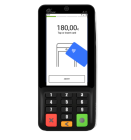
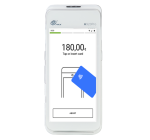
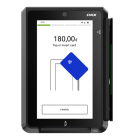
The PAX All-in-One Android Solution supports these types of payment terminals:
Portable
Acceptance Devices | PAX A77 Terminal
Acceptance Devices | PAX A920 MAX Terminal
Acceptance Devices | PAX A920 PRO Terminal
Acceptance Devices | PAX A920 Terminal
Countertop
Acceptance Devices | PAX A35 Terminal
Acceptance Devices | PAX A3700 Terminal
Unattended
Acceptance Devices | PAX IM30 Terminal
Previous topic
Next topic
Back to top

Privacy

Terms + conditions

© 2021 Cybersource. All rights reserved. All brand names and logos are the property of their respective owners, are used for identification purposes only, and do not imply product endorsement or affiliation with Cybersource.